Instant Access
Your PowerUp account opens the full catalogue of 6,000+ games, your active bonuses and your Career Mode VIP status the moment you sign in.
Everything About the Login at PowerUp Casino
Access your account in seconds via desktop browser, mobile browser or by saving the site as a shortcut on your home screen.
Keep Your Account Safe
What You Should Do
What You Should Avoid
Three Reasons to Sign In Today
Instant Access
Your PowerUp account opens the full catalogue of 6,000+ games, your active bonuses and your Career Mode VIP status the moment you sign in.
Secured Login
Every sign-in is protected by 256-bit SSL encryption. Two-factor authentication adds a second layer of protection to your credentials.
Mobile-Ready
The login page is fully optimised for iOS and Android browsers, so you can access your account from any device without downloading an app.
Signing in to your PowerUp account follows the same straightforward process across all platforms. Enter your registered email address and password on the login page, then click Sign In. If two-factor authentication is active on your account, you will be prompted for a verification code before access is granted.
Navigate to powerup24.com in any modern desktop browser, click the Sign In button in the top-right corner of the page, and enter your credentials. The session will begin immediately after authentication.
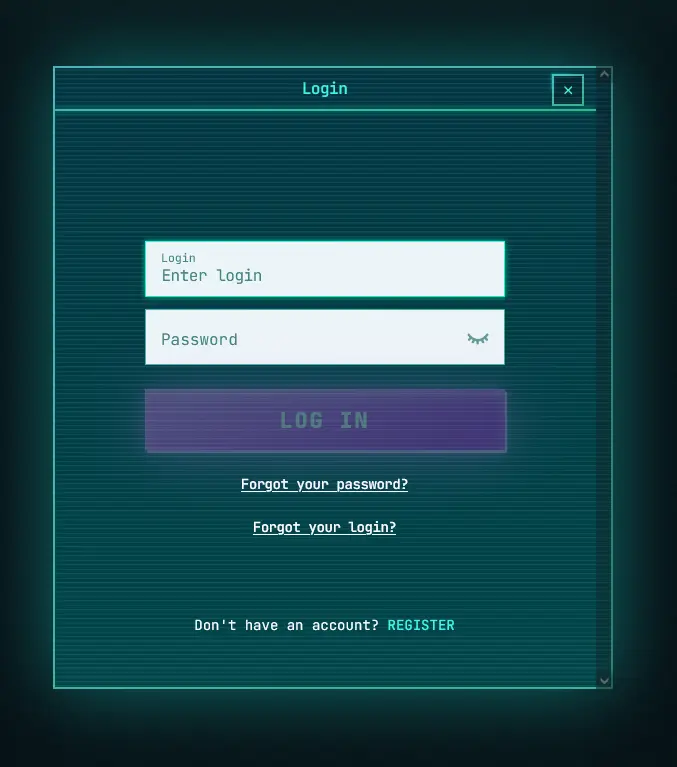
Open Safari on iOS or Chrome on Android, navigate to powerup24.com and tap Sign In. The mobile version of the login form is identical in function to the desktop version. If you have saved the site as a home screen shortcut, tapping that icon opens the login page directly.
There is no native PowerUp app for iOS or Android at this time. All login and game-play functions are handled through the mobile browser. Adding powerup24.com to your home screen creates a shortcut that behaves like an app icon without requiring a download from any store.
Your PowerUp account holds real-money balances and personal information, so maintaining strong security practices is essential. The platform applies 256-bit SSL encryption to all login data in transit, meaning credentials are not transmitted in plain text at any point.
Two-factor authentication (2FA) is available through the account security settings. Once enabled, each login from a new device or browser requires a one-time code in addition to your password. This prevents access even if your password is compromised. Biometric login options, including fingerprint and Face ID, may be available depending on the browser and device used.
PowerUp will never ask for your full password through live chat or email. If you receive a message requesting your credentials, report it immediately to [email protected] and do not respond to the request.
PowerUp uses email and password as the primary login credentials. When you registered, your email address was set as the account identifier; you cannot sign in using a username or phone number. If you registered using a cryptocurrency deposit method, the same email address registered at account creation is used to sign in.
The session token is stored in the browser for a configurable period. Choosing Remember Me on a trusted personal device keeps you signed in across visits. On shared or public devices, always untick this option and sign out manually at the end of each session.
Login failures at PowerUp most commonly fall into four categories, each with a straightforward resolution.
A forgotten password is the most frequent cause. Use the Forgot Password link on the login page to trigger a reset email to your registered address. If the email does not arrive, check spam and junk folders before contacting support.
An account that appears locked has typically been flagged after several consecutive failed login attempts. This is an automatic security response. Contact live chat support, available 24 hours a day at any AEST or AEDT hour, and an agent can verify your identity and restore access.
If the login page fails to load or throws a technical error, clear your browser cache, try a different browser, or switch between Wi-Fi and mobile data to rule out a local network issue. If the problem persists, contact [email protected] with a description of the error.
Players who have not verified their email address after registration may find some account functions restricted. Check your inbox for the original verification email from PowerUp and complete that step before attempting to log in to a fully active account.
Creating a PowerUp account takes only a few minutes. Visit powerup24.com, click Register, and fill in your details including your name, date of birth (you must be 18 or over), email address and chosen password. After confirming your email, your account is active and you can make your first deposit to begin the four-stage welcome package. Identity verification (KYC) will be required before your first withdrawal is processed; Australian players typically provide an Australian driver’s licence or passport for photo ID, a Medicare card or utility bill as a secondary identity document, and a recent bank statement or utility bill as proof of address.
Login Questions Answered
Click the Forgot Password link on the login page, enter your registered email address, and follow the reset link sent to your inbox. If the email does not arrive within a few minutes, check your spam folder or contact [email protected].
PowerUp locks accounts temporarily after repeated incorrect password entries as a security measure. Use the password reset link or contact 24/7 live chat to unlock your account.
Yes, the PowerUp login page is fully optimised for Safari on iOS and Chrome on Android. You do not need to install any native app; simply navigate to the site in your mobile browser and sign in normally.
No. PowerUp's terms permit only one account per player. Operating multiple accounts may result in account closure and forfeiture of balances, including any welcome bonus funds from Pragmatic Play or Evolution Gaming game winnings.
Sign In and Start Playing
Grab 120% up to $1,600 and 300 free spins.
Play Now Play responsibly. You must be 18 or older to register. Full bonus terms and conditions apply.